

SSC Phase XIV - Higher Secondary - Mock Test - English Medium
Selection Process
How to Apply for SSC Selection Post 2021?
Candidates who have decided to apply for the job post visiting their official website can follow the below steps to apply online.
Step 1: Visit the SSC official site or click on the direct apply online button above.
Step 2: A page will be opened where you will get the registration and login form.
Step 3: If you are already registered for SSC Exams, then fill in the login details to apply for SSC Selection Post Phase 9. But if you are not registered, then first you need to fill the registration form.
Step 4: After login, go to “Apply Now” and fill in all the required details i.e Name, Father’s Name, Mother’s Name, Education Qualification, Address, educational qualifications, and all the degrees you hold, etc.
Step 5: After that Fill in your communication address and Upload your Photo and signature.
Step 6: Before submitting the form, preview your details.
Step 7: Once you submit the form, the next step is to pay your fee. The application fee is acceptable in online and offline modes.
Step 8: Pay your fee through Debit/ Credit card/ Net Banking/ E-Challan if applicable.
Step 9: Click on submit and your form will be submitted successfully.
Step 10: Your Online SSC Selection Post Phase 9 2021 application process is completed and you can take a printout of the application form for further use
Reference Guides
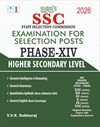
Products

SSC Phase XIV - Higher Secondary - Mock Test - English Medium
Mock Test
Previous Year Question Paper
Study Material
90

SSC Phase XIV - Previous Year Question Papers - English Medium
Mock Test
Previous Year Question Paper
Study Material
90


